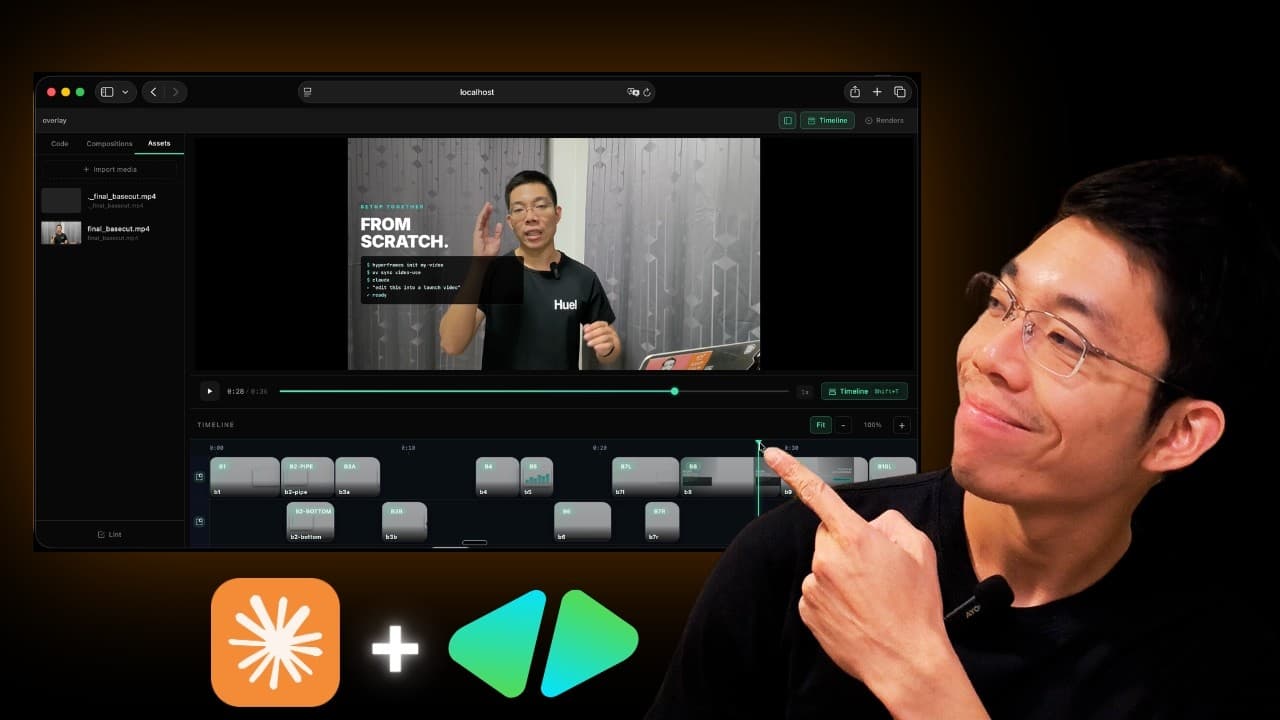
i want you to add motion graphics using hyperframes to this video
im going to give you some direction as far as what we are looking for

so at the beginning when i say ที่ทุกคนดูผมอยู่ตอนนี้ถูกตัดต่อด้วย Claude ครับ
i want you to pop up a liquid glass style card on the right hand side of the screen and i want the words to appear as if they are karaoke style words popping in karaoke style subtitles and it should look like a title of a video

the next part when i say นี่คือการใช้ ai ตัดต่อตั้งแต่ต้นจนจบ
what i want you to do is add a card at the bottom of the screen that says AI : ใช่ครับ ผมเป็นคน edit ทั้งหมดนี้เอง
and also add a motion graphic on the left side of a screen that just show like an animation, a visual understanding of the entire video editing pipeline

then the next part when i talk about ที่คุณต้องทำก็แค่การโยน raw file ให้ ai จัดการต่อ ตั้งแต่การ trim ตัดช่วงที่ผิดพลาด ตัด deadair ออก
i want to animate that, i want you to show me on a liquid glass card an actual animation of raw file being edited up with motion graphics applied, tell me a story here with these animations

then when i say ใส่ motion graphic แบบที่คุณเห็นอยู่ตอนนี้
i want you to add a liquid glass card showing trimming mistake motion graphic on the right side

then when i say หรือใส่ภาพเคลื่อนไหวแบบนี้
i want you to show a different animation style on the left side also as a liquid glass card

then when i say สามารถใส่ subtitle ตามที่ผมกำลังพูดอยู่ตอนนี้
add the karaoke style subtitle at the bottom of the screen

then when i say และถึงแม้คุณจะไม่เคยเขียน code มาก่อน ไม่เคยตัดต่อมาก่อน
i want you to animate the story with 2 cards, start with left hand side first for story of you dont have to know coding, then on the right side an animation of you dont have to know editing

then when i say คลิปนี้เราจะมาเริ่ม setup ทุกอย่างไปด้วยกัน จนได้ผลลัพธ์เจ๋งๆแบบที่คุณเห็นอยู่
i want to make a transition, since the whole duration is just my face talking full screen, i want to vertical crop it, you can crop from both left and right, since im in the center, crop it with rounded edges and a drop shadow and make the frame (my face) shift over to the right side of the screen while on the left side you can animate setting up video editing project syncing with what i say

then when i say การตัดต่อจะเปลี่ยนไปเหมือนกับที่คุณ brief editor เลยครับ
you can continue the face frame, but shift it to left side, and show motion graphics on the right side, showing that editing video will shift from manually do it to tell ai like how you tell editor

then the last scene when i say เตรียมกาแฟของคุณให้พร้อม แล้วเราไปลุยกันครับ
make my face back to full screen again, and show motion graphics on left and right side

so thats what we want for this video, make sure that everything is syncing up to the exact second where it makes the most sense for that motion graphic or that text to pop in